.png?fit=max&auto=format&n=Frm2GFbmok4D-yJA&q=85&s=93c3ebd47542af65d1cd06d8563a7f6e)
Permissions Requirements
1. Shopify Collaborator Access
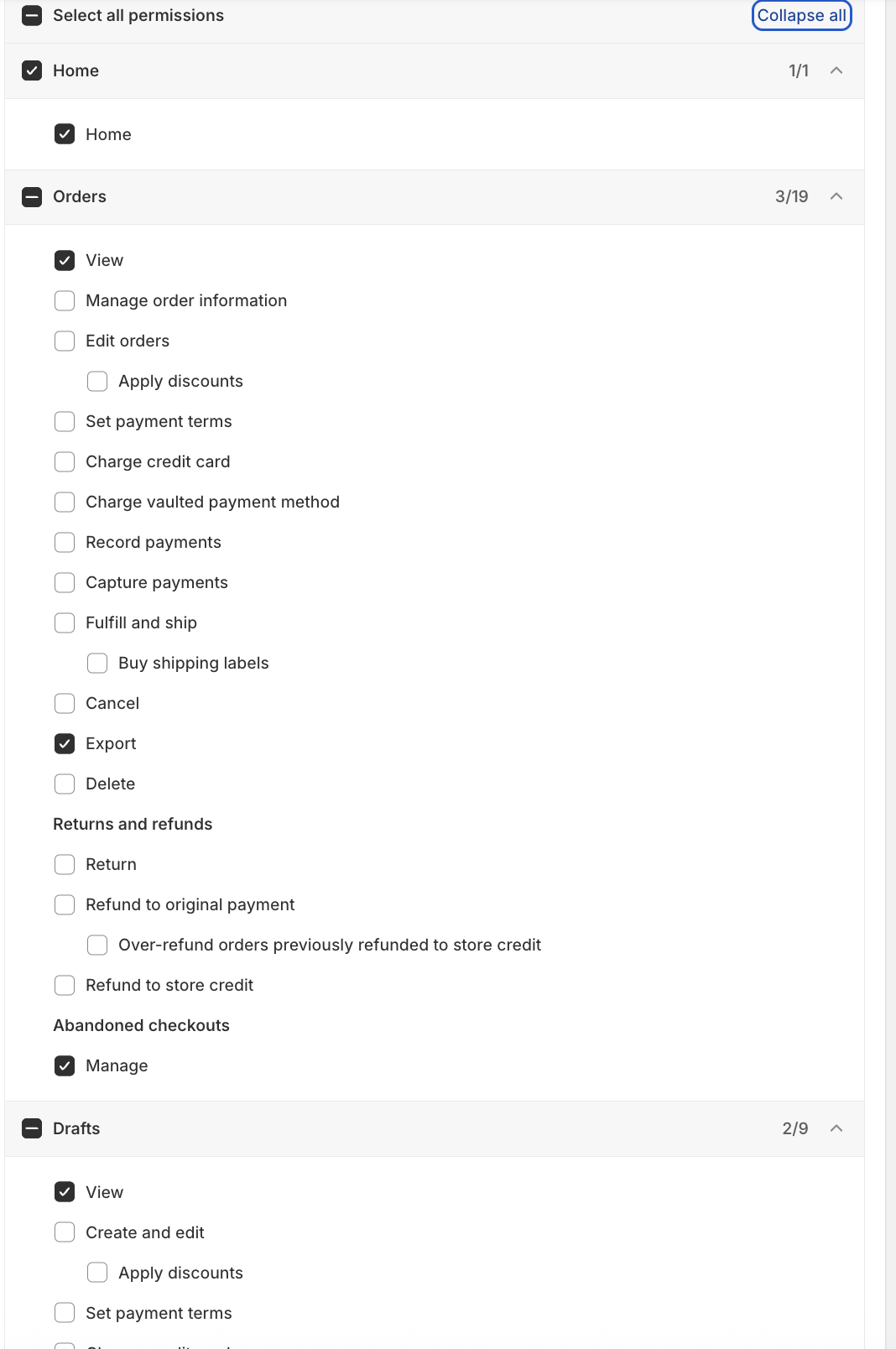
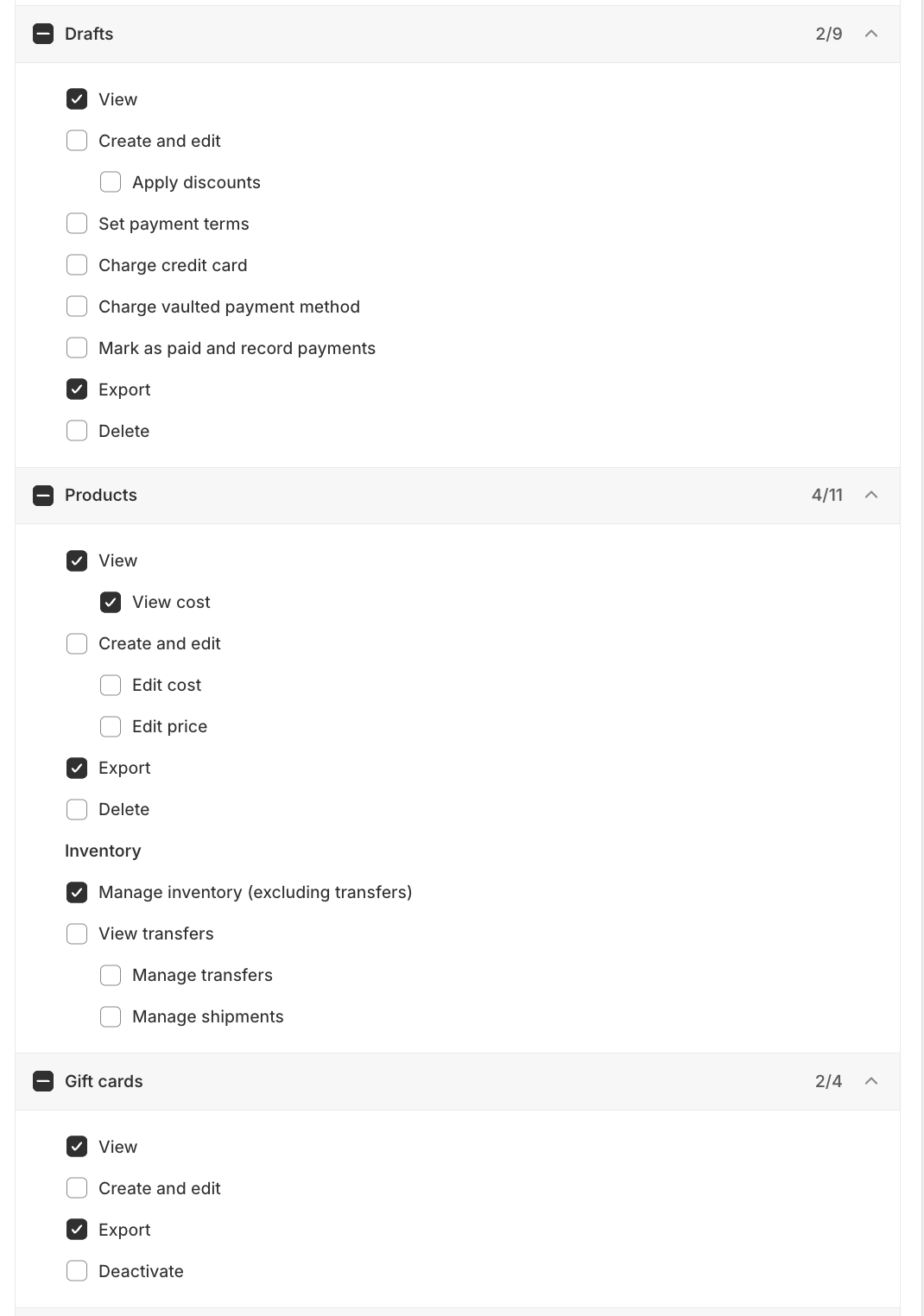
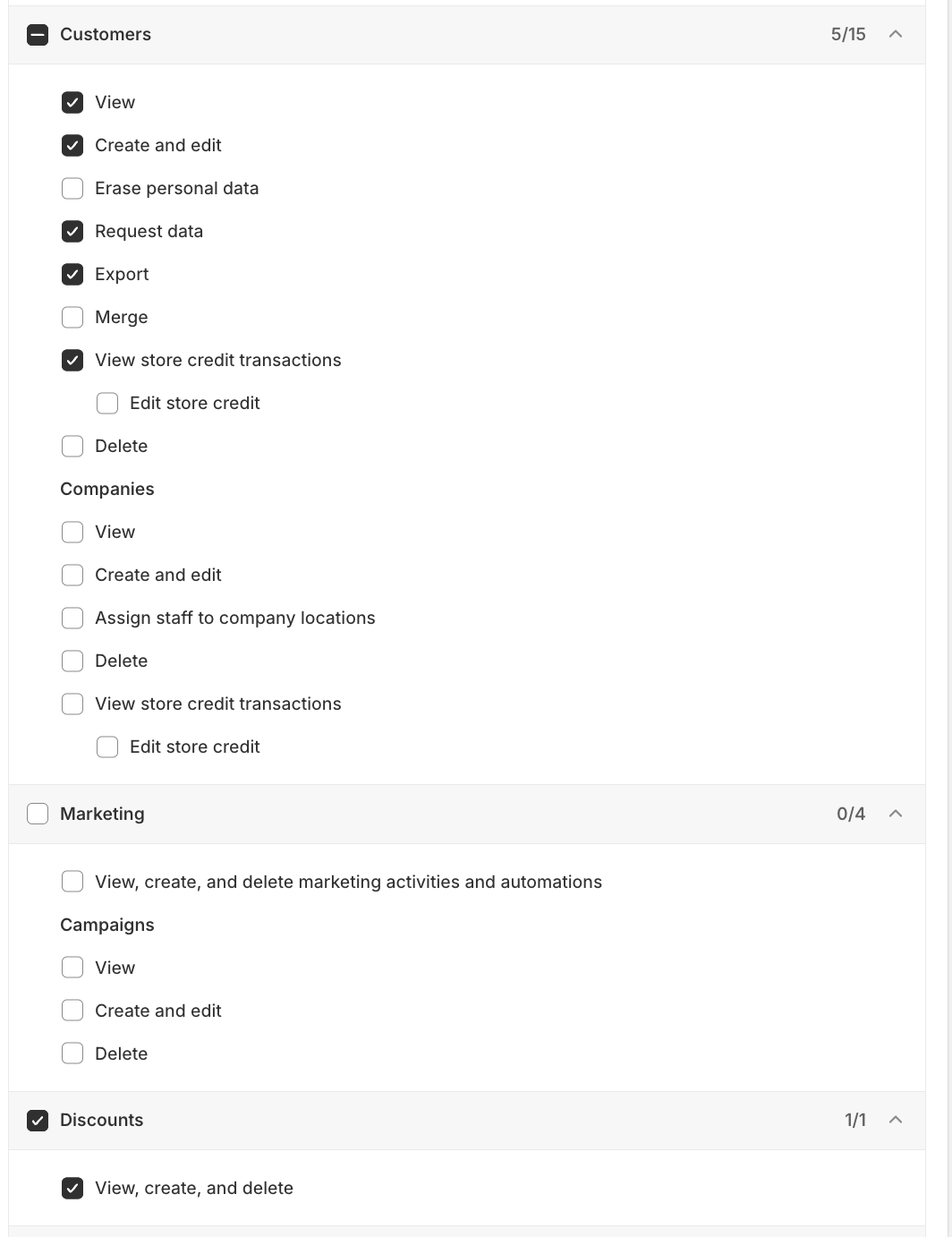
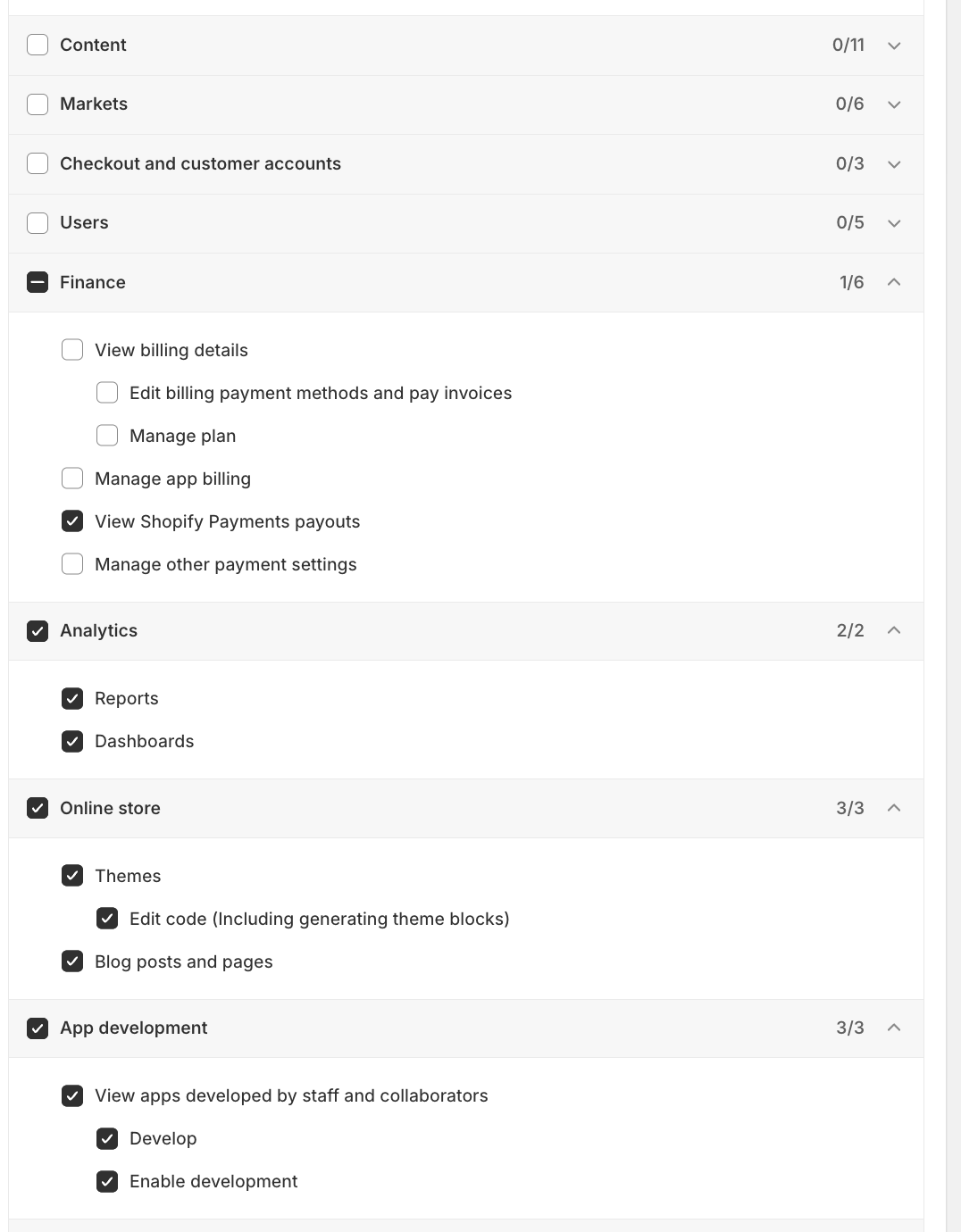
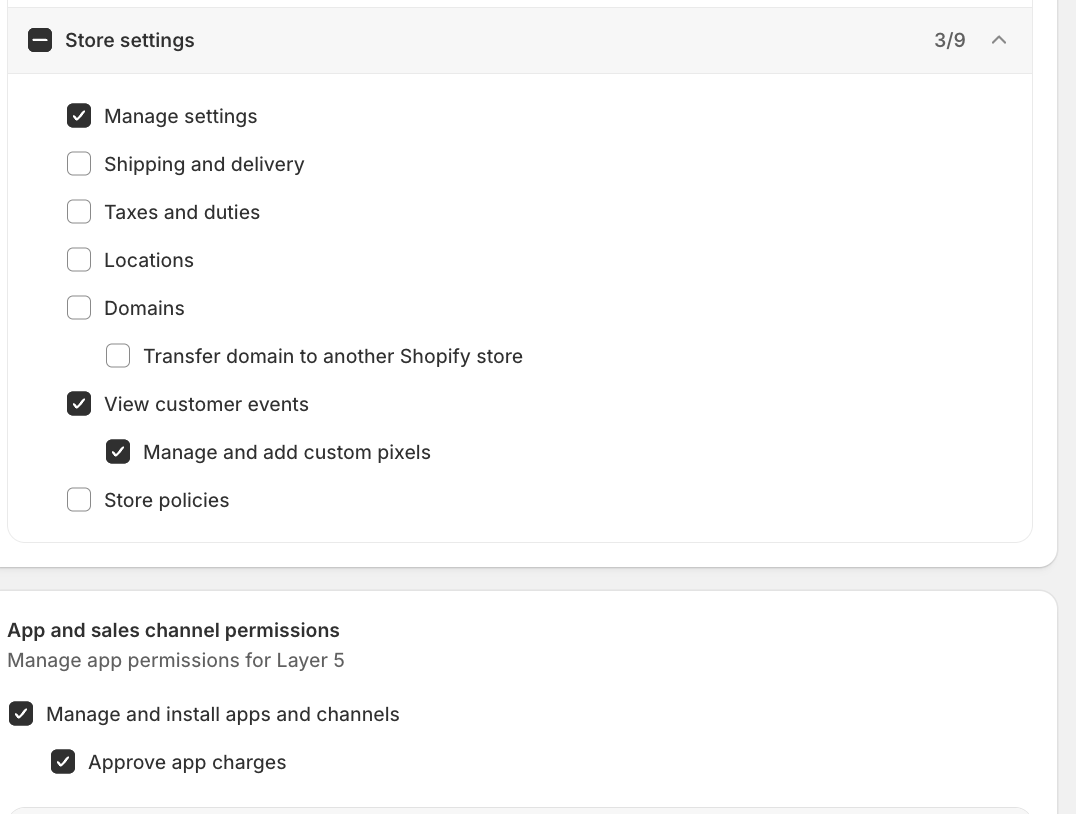
Client’s will need to share their Shopify store URL (e.g., yourstore.myshopify.com) and Collaborator Code with the Lunar team. When we are requesting access to a Client’s store, we need to ensure all permissions below are granted. Screenshots included at the bottom of this page.- Required Permissions:
- Home
- Orders
- View
- Export
- Manage
- Drafts
- View
- Export
- Products
- View
- View Cost
- Export
- Inventory
- Manage inventory (excluding transfers)
- Gifts Cards
- View
- Export
- Customers
- View
- Create and edit
- Request Data
- Export
- View store credit transactions
- Discounts
- View, create, and delete
- Finance
- View Shopify payments payouts
- Analytics
- Reports
- Dashboards
- Online Store
- Themes
- Edit Code (including generating theme blocks)
- Blog Posts and pages
- Themes
- App Development
- View apps developed by staff and collaborators
- Develop
- Enable Development
- View apps developed by staff and collaborators
- Store Settings
- Manage Settings
- View Customer Events
- Manage and add custom pixels
- App and sales channel permissions
- Manage and install apps and channels
- Approve app charges
- Manage and install apps and channels